Olymptrade Deposit 2026: Step-by-Step Guide to Adding Money, Costs & Approval Time

In this step-by-step guide, you’ll learn how to deposit money on Olymptrade, explore available deposit methods, and understand associated fees and processing times so you can fund your account smoothly and start trading with confidence.

OLYMPTRADE DEPOSIT – QUICK START HUB
Olymptrade is a globally recognized online trading platform that enables users to fund and access a wide range of financial markets through a fast, secure, and convenient environment. Designed with a strong commitment to reliability and transparency, Olymptrade provides traders with efficient financial tools that make managing deposits simple and stress-free.
Below is a concise overview of the Olymptrade deposit process, created to help you add funds to your account quickly, safely, and without complications.
What You Need Before Depositing Into Olymptrade
- Account Ready Checklist
- Registered Olymptrade account
- Verified login access
- Chosen payment method
- Minimum deposit amount available
- Stable internet connection
#1 Open the Authorized Olymptrade Website
Begin by accessing the official Olymptrade website and carefully confirm that the domain is correct to protect yourself from phishing or fraudulent pages. The Olymptrade platform features a clear and user-friendly interface that ensures smooth navigation.Once on the homepage, select the [Sign in] button to proceed to the secure login form.

#2 Navigate to the Deposit Section
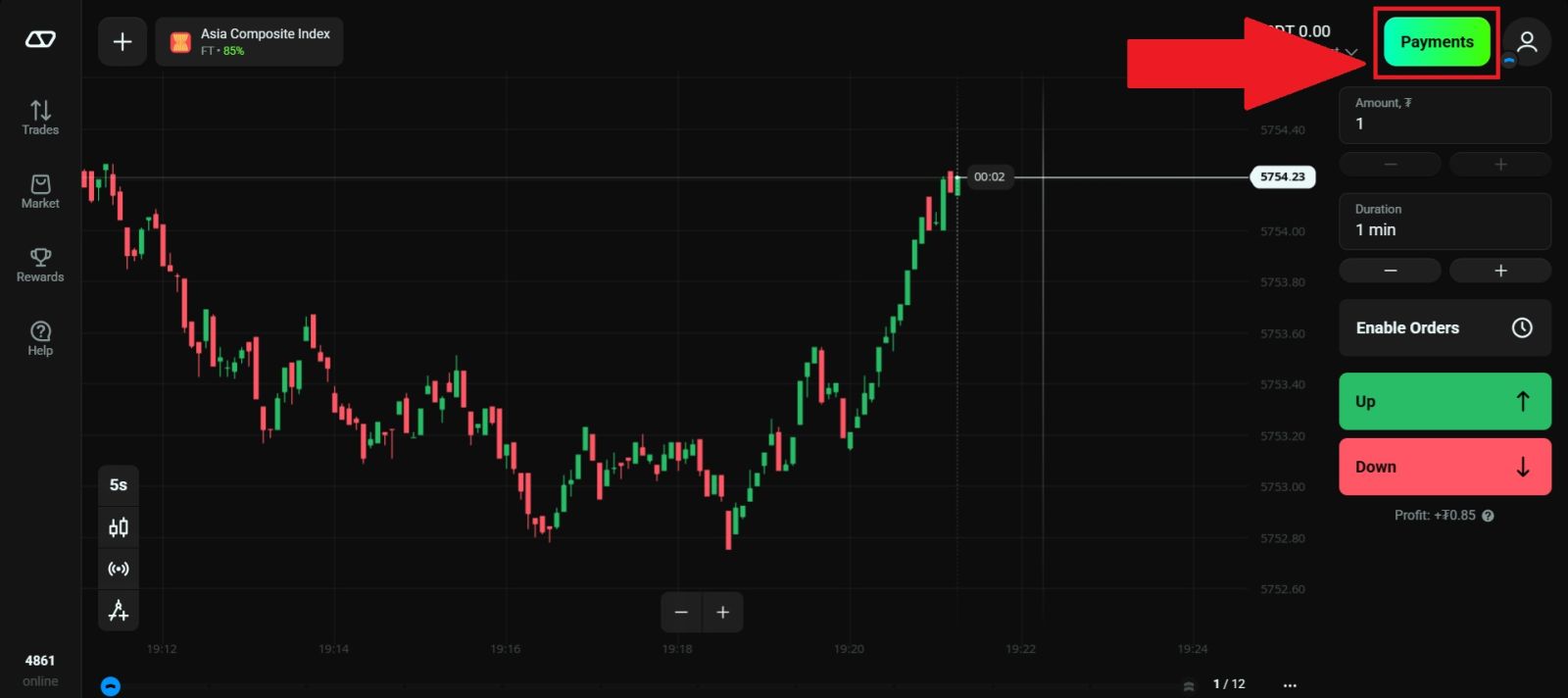
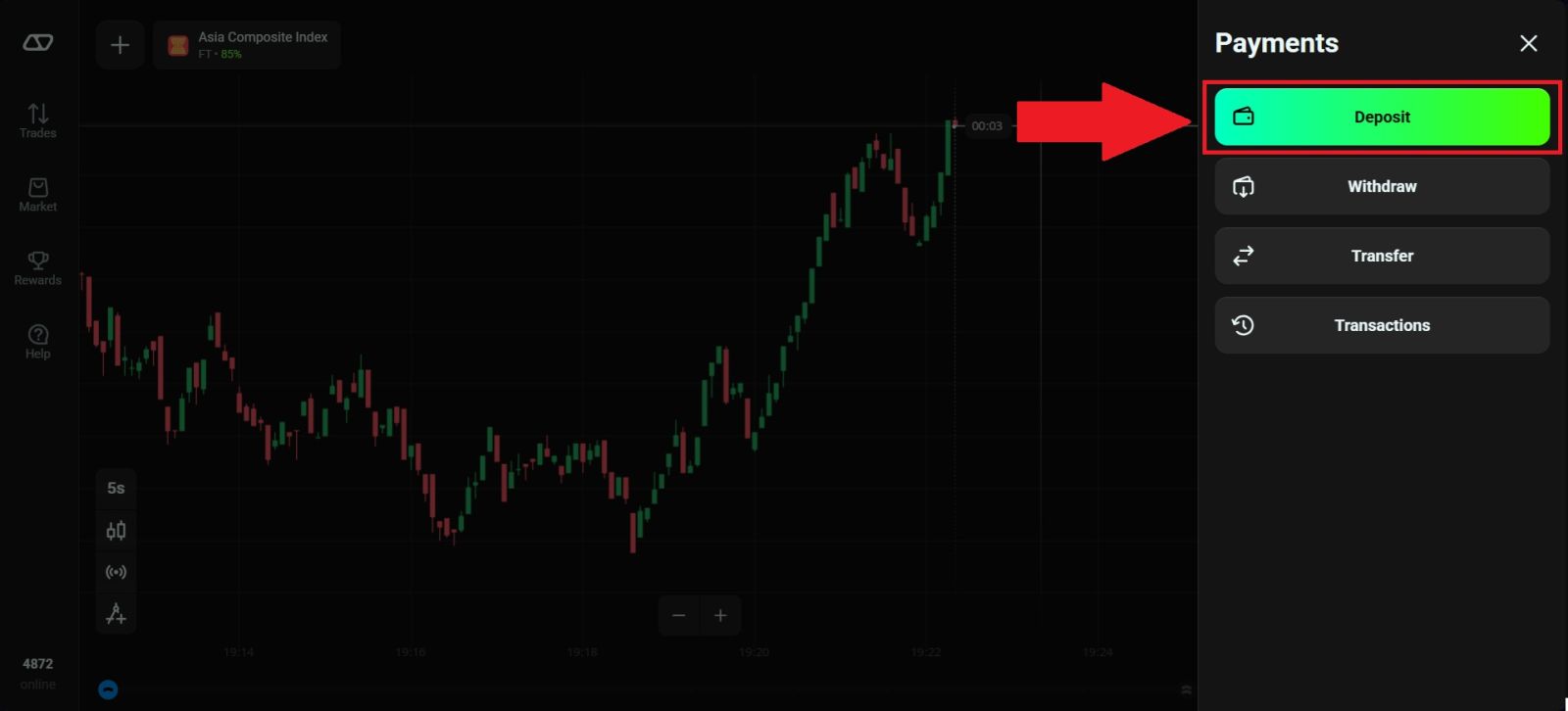
Once you have successfully logged in to your Olymptrade account, navigate to the [Deposit] section by click on [Payment] located at the top right corner of the Olymptrade homepage, then select [Deposit]This section allows you to manage your account funding options, you will be directed to the deposit page where you can choose your preferred payment method, review available deposit options, and proceed with funding your trading account securely.
#3 Select your Cryptocurrency
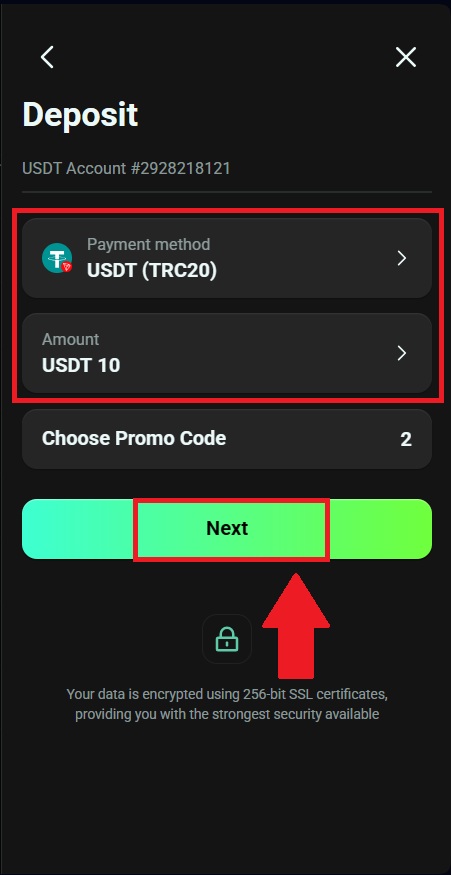
Next, select the payment method you would like to use for your deposit to continue the process. Enter the amount that you want and click on [Next]. In this example, (USDT/TRC20) is selected, which is a popular choice due to its fast transaction speed and low network fees.
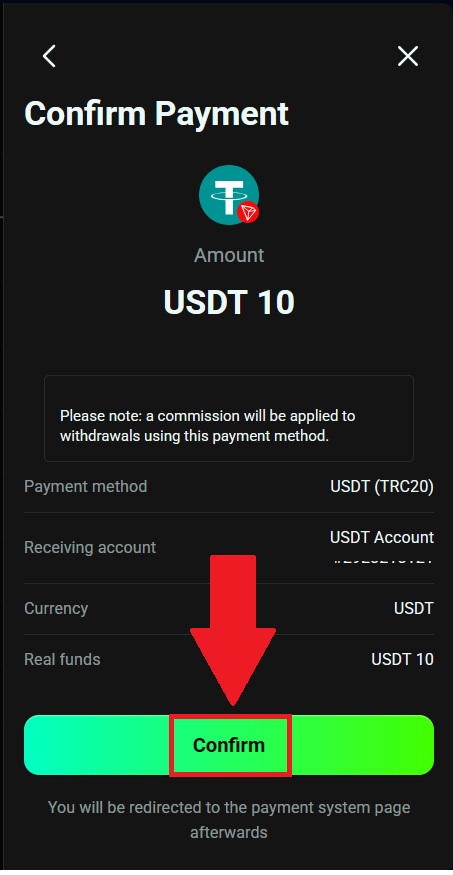
After that, review and confirm your payment by clicking on [Confirm].
#4 Continue processing your payment.
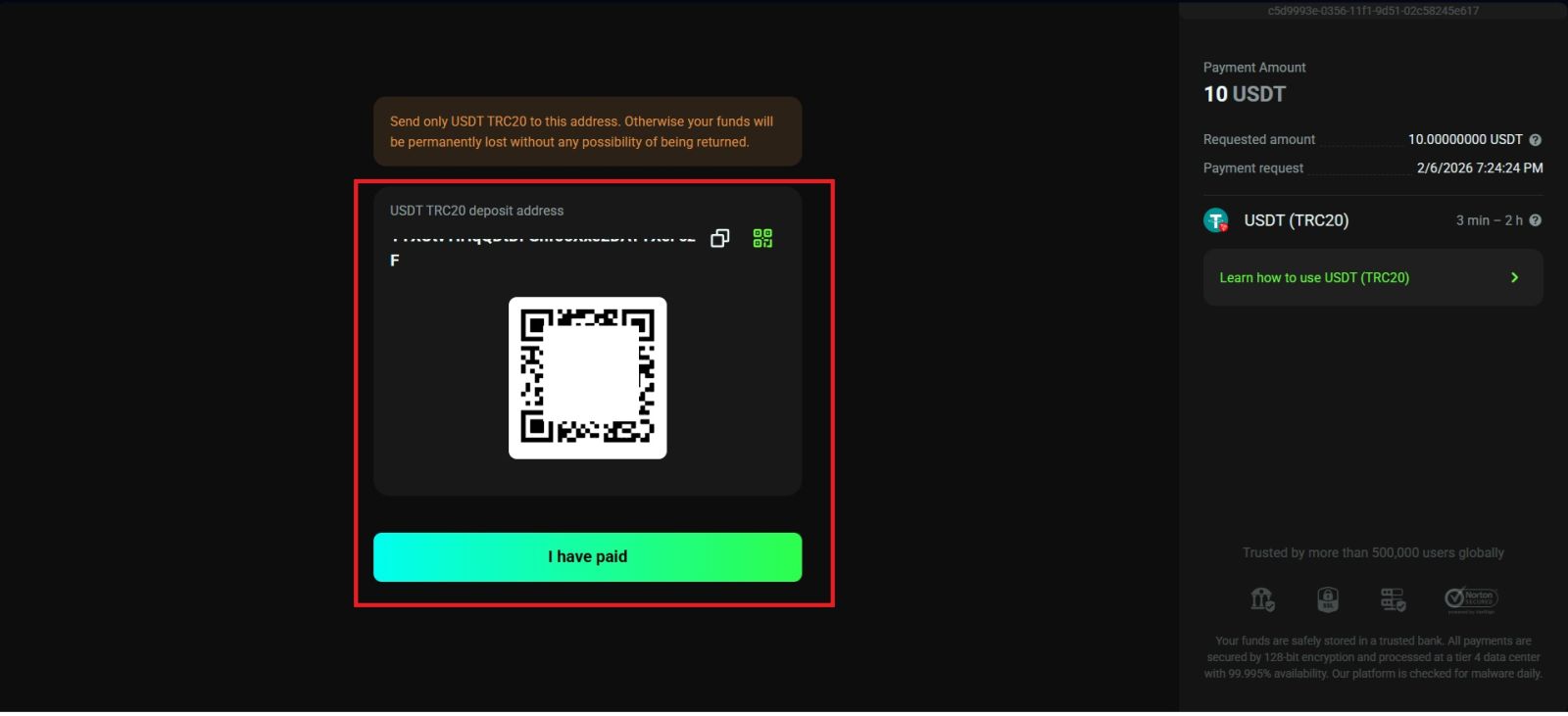
Continue processing your payment by copying the deposit details provided. Click the [Copy] icon to copy the wallet address or scan the QR code associated with the deposit address, then paste or use it on your external wallet or withdrawal platform.
Using this information, you can complete your deposit by finalizing and confirming the withdrawal from your external wallet or third-party account.
Once you’ve completed the deposit, you can click on [I have paid] and view your wallet to check your updated balance.
Conclusion: Deposit Money on Olymptrade Smoothly and Securely
Adding funds to your Olymptrade account is a straightforward and secure process that lets you start trading without delay.By following the step-by-step deposit instructions, choosing a supported payment method, and understanding any applicable fees and processing times, you can ensure your funds are credited efficiently. With a reliable deposit system and clear procedures, Olymptrade makes it easy to fund your account and focus on your trading activities with confidence.