How to Login to Olymptrade

This guide will walk you through the exact steps to log in to Olymptrade quickly and safely from any device.

How to log in to the Olymptrade account
- Go to the mobile Olymptrade App or Website.
- Click on the “Log in” button in the upper right corner
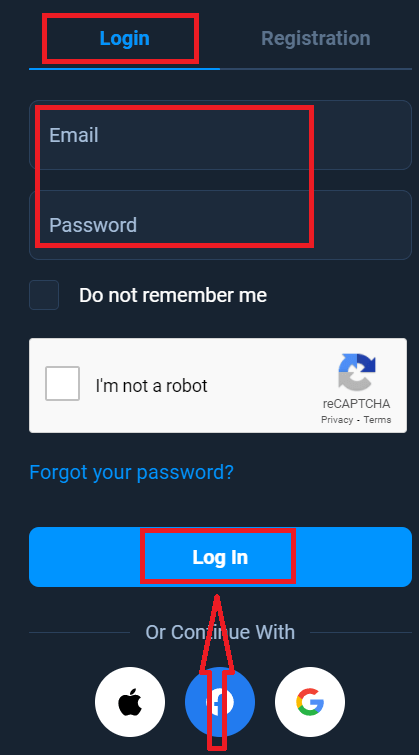
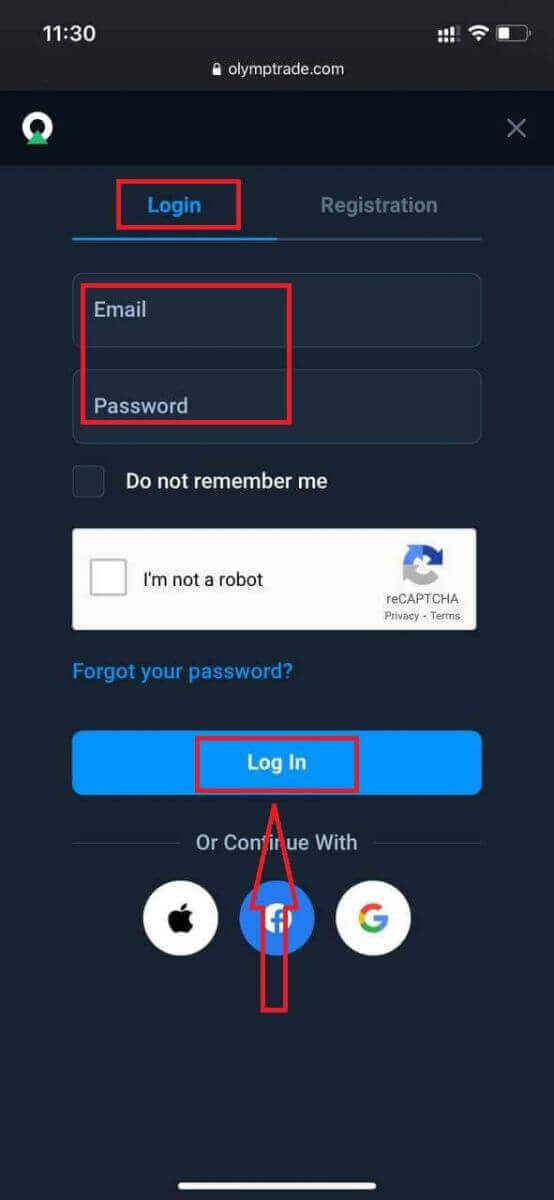
- Enter your email and password.
- Click on the “Log in” blue button.
- If you forgot your email, you can log in using "Apple" or “Google”, or “Facebook”.
- If you forgot your password, click on “Forgot your Password”.
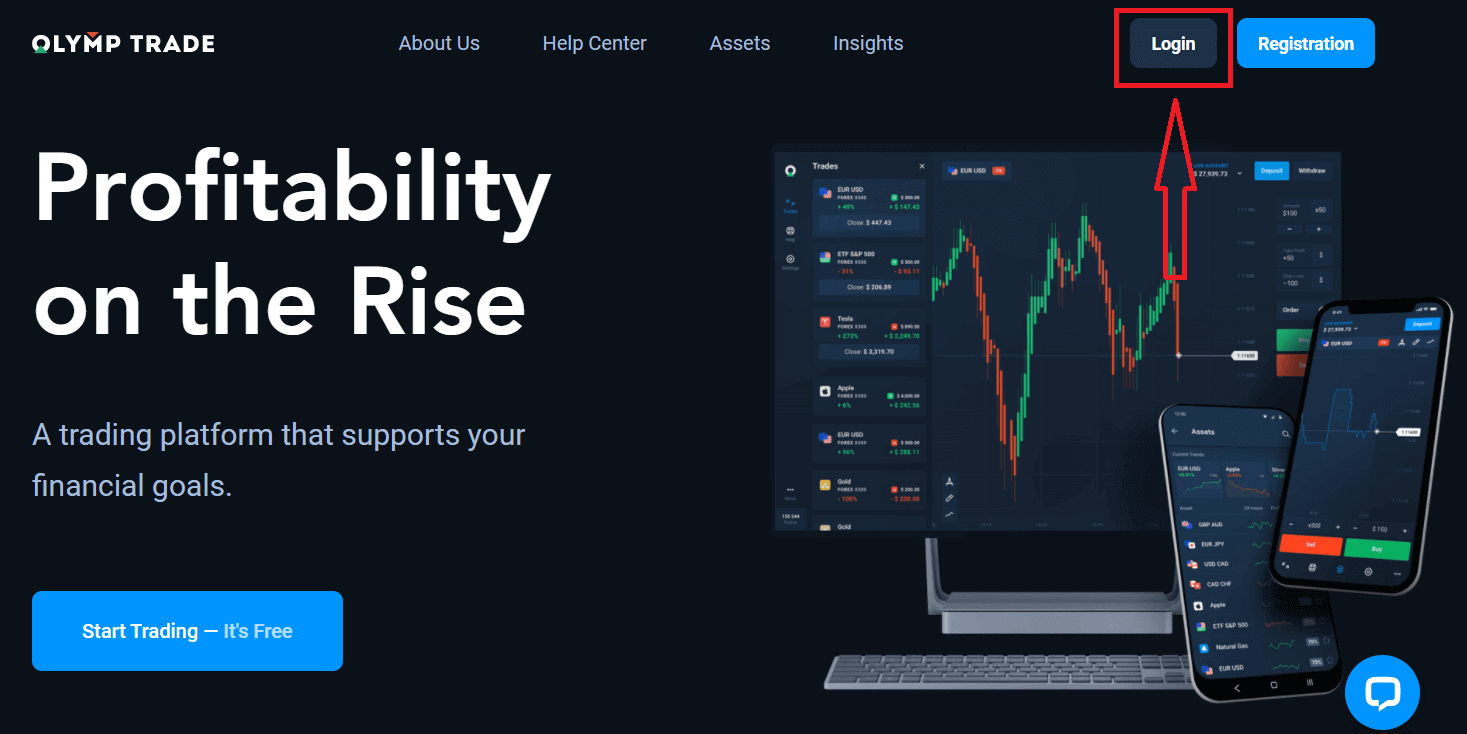
Click the "Login" button in the upper right corner, sign-in form will appear.
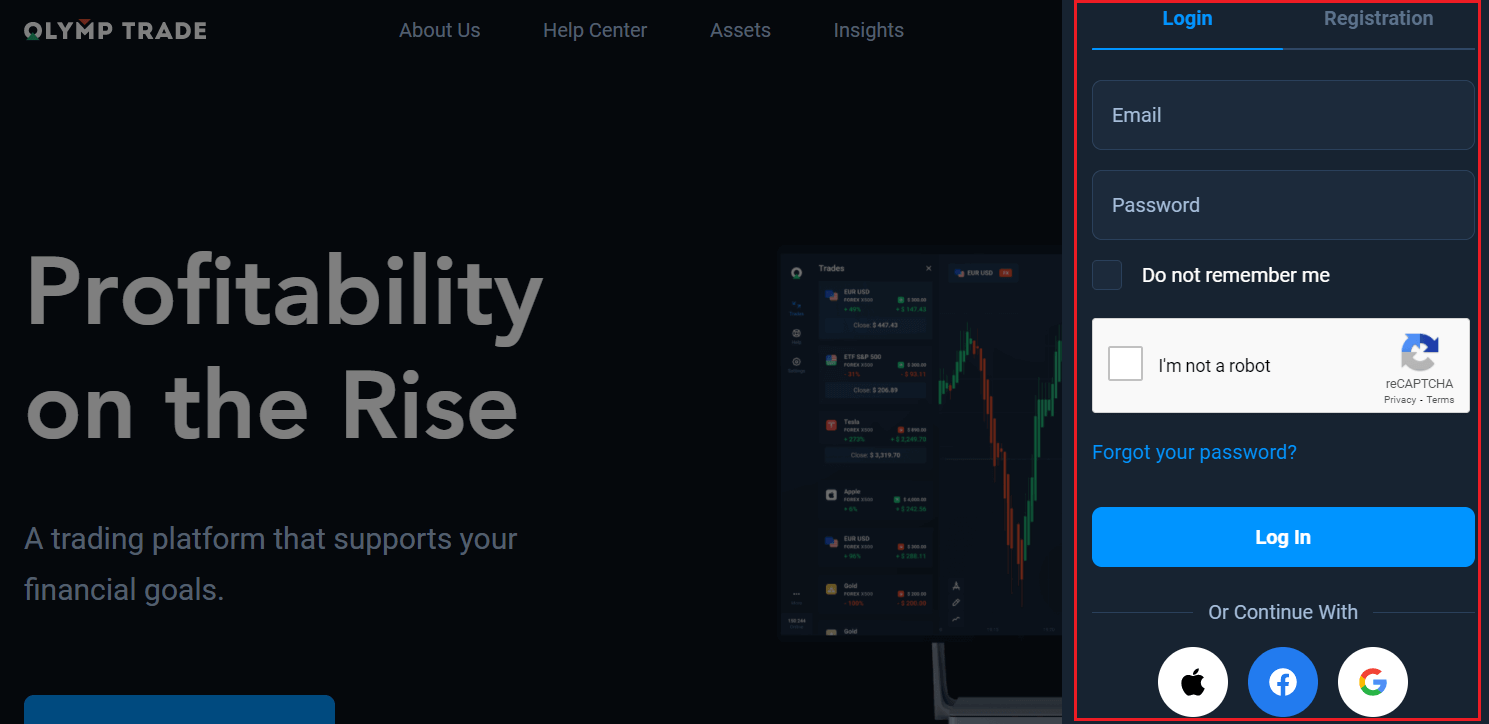
Enter your email address and password that you registered to log into your account with, and click "Log in".
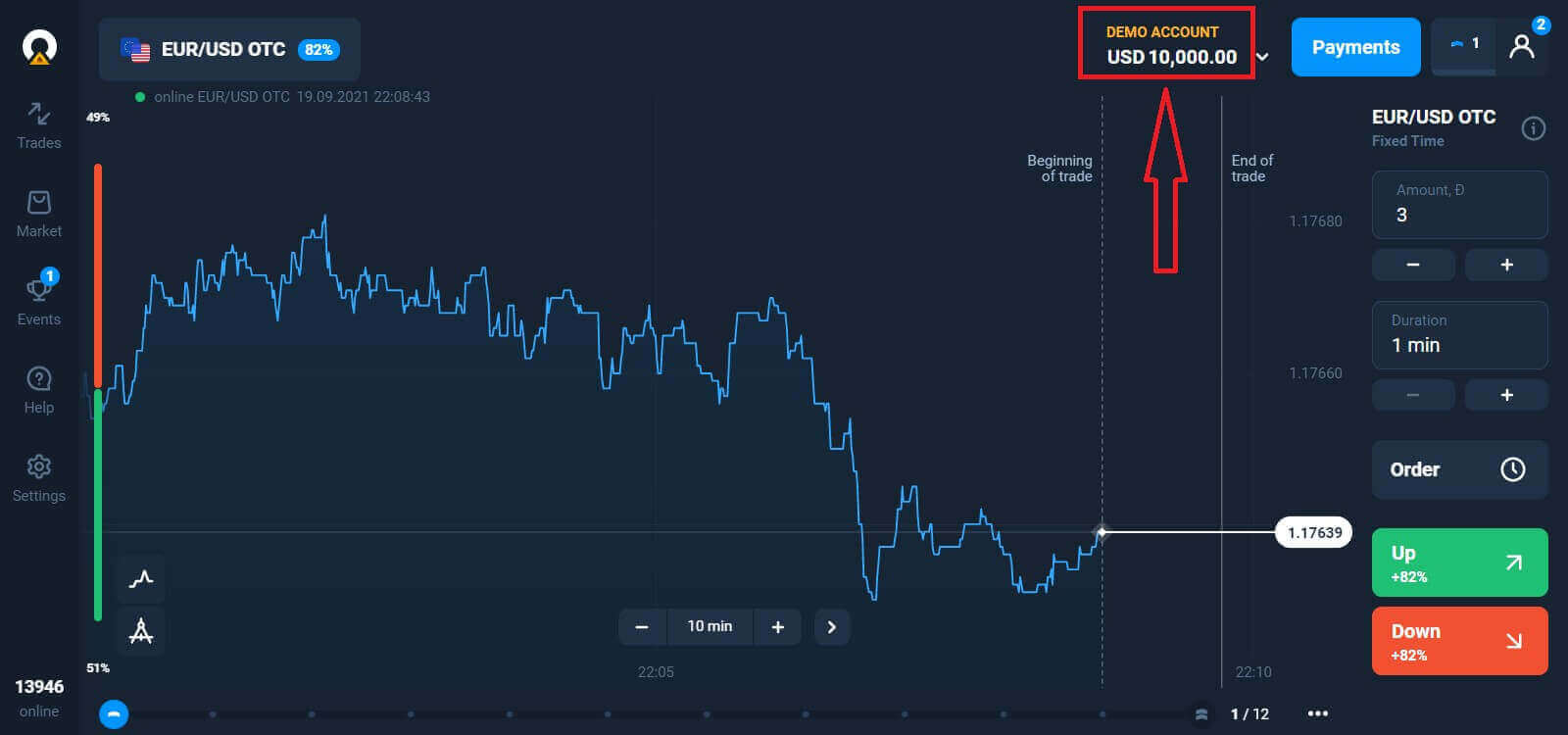
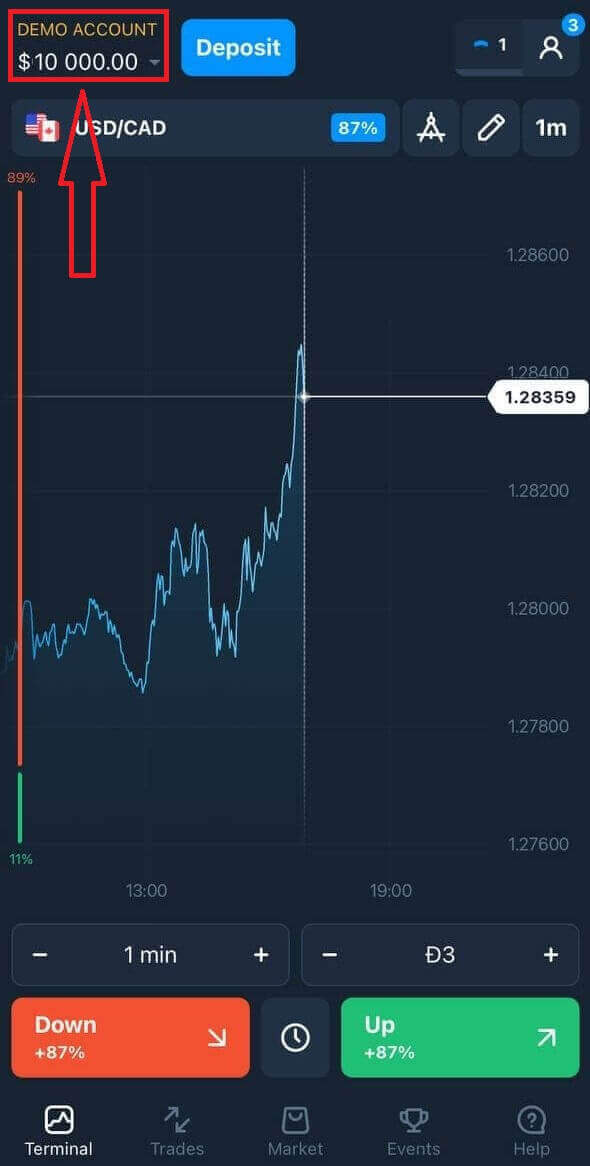
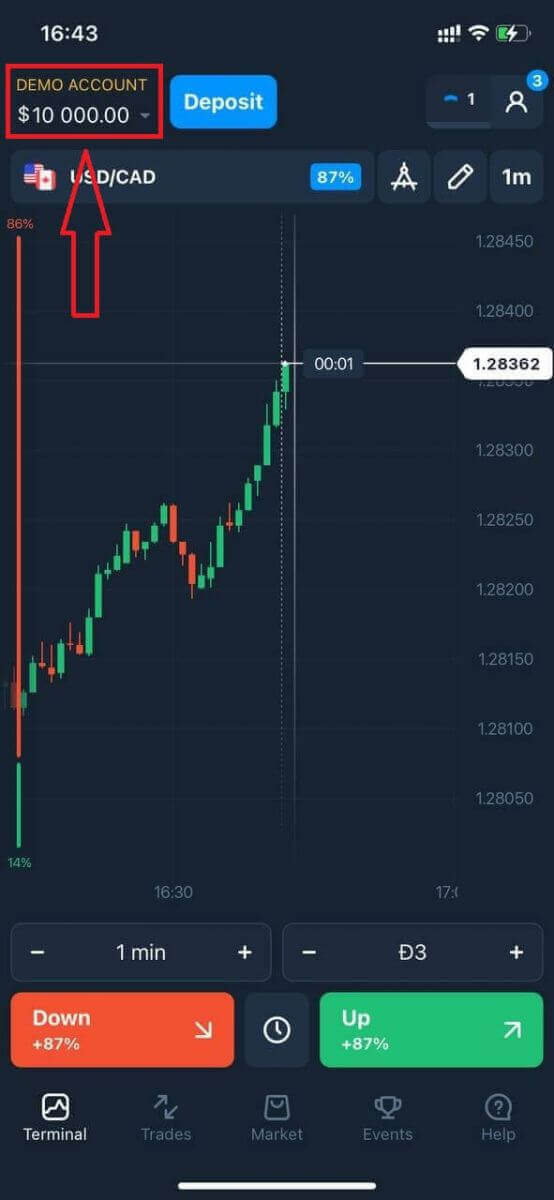
Now you can start trading. You have $10,000 in your Demo Account. It is a tool for you to get familiar with the platform, practice your trading skills on different assets, and try out new mechanics on a real-time chart without risks. You can also trade on a real account after depositing.
How to Login to Olymptrade using Facebook
You can also log in to the website using your personal Facebook account by clicking on the Facebook button.1. Click on the Facebook button
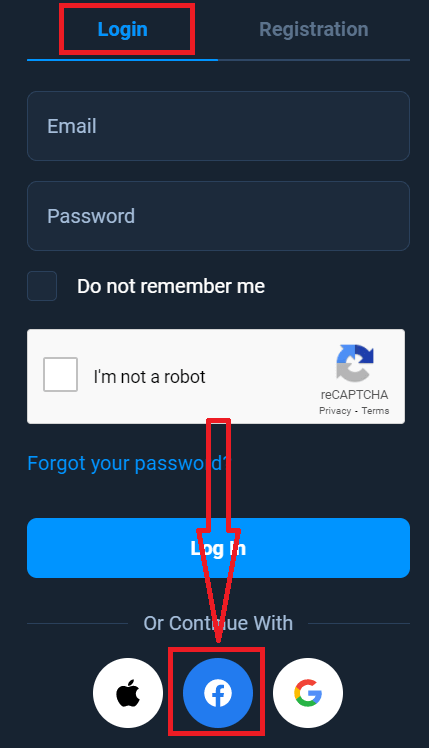
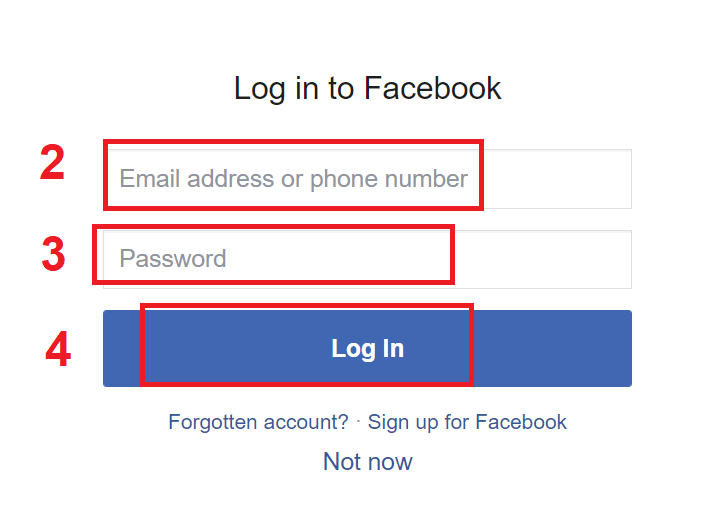
2. The Facebook login window will be opened, where you will need to enter the email address that you used to register for Facebook
3. Enter the password from your Facebook account
4. Click on “Log In.”
Once you’ve clicked on the “Log in” button, Olymptrade will request access to: Your name, profile picture, and email address. Click Continue...
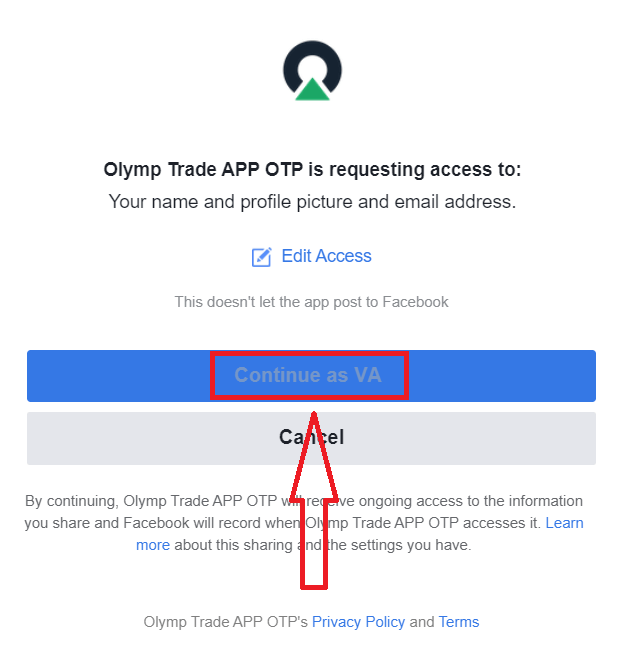
After that, you will be automatically redirected to the Olymptrade platform.
How to Login to Olymptrade using Google
1. For authorization through your Google account, you need to click on the Google button.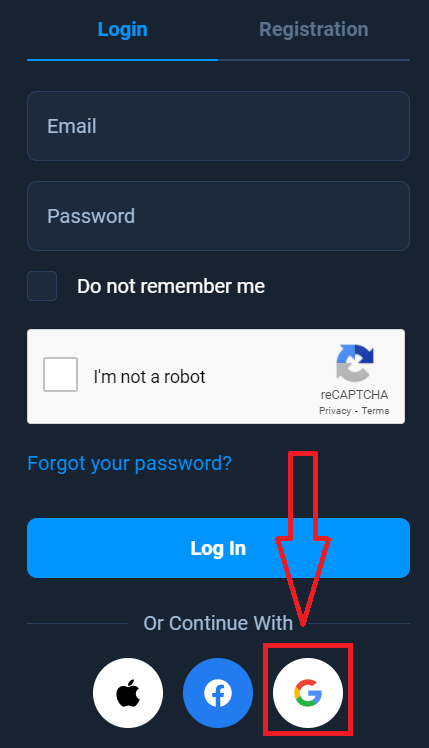
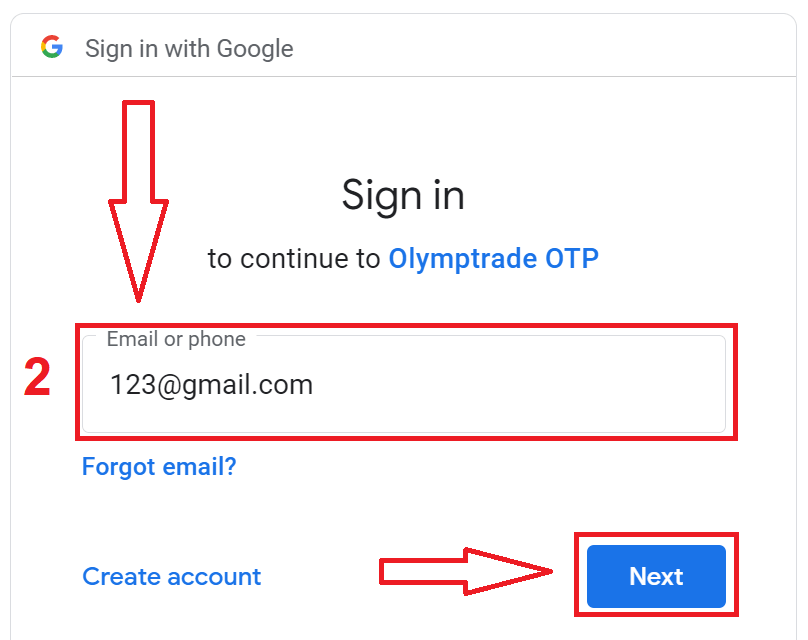
2. Then, in the new window that opens, enter your phone number or email and click “Next”. The system will open a window, and you will be asked for the password for your Google account.
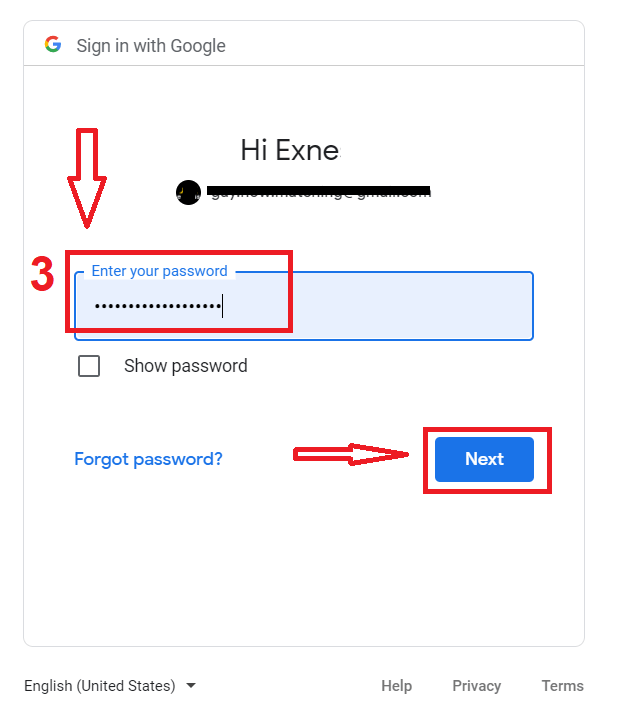
3. Then enter the password for your Google account and click “Next”.
After that, follow the instructions sent from the service to your email address. You will be taken to your personal Olymptrade account.
How to Login to Olymptrade using an Apple ID
1. For authorization through your Apple ID, you need to click on the Apple button.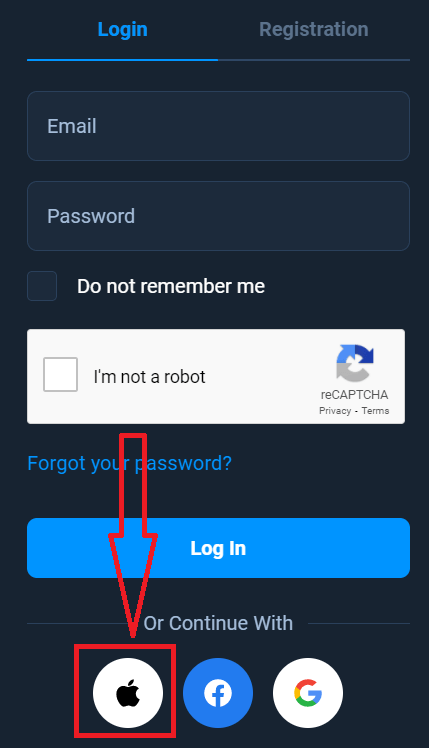
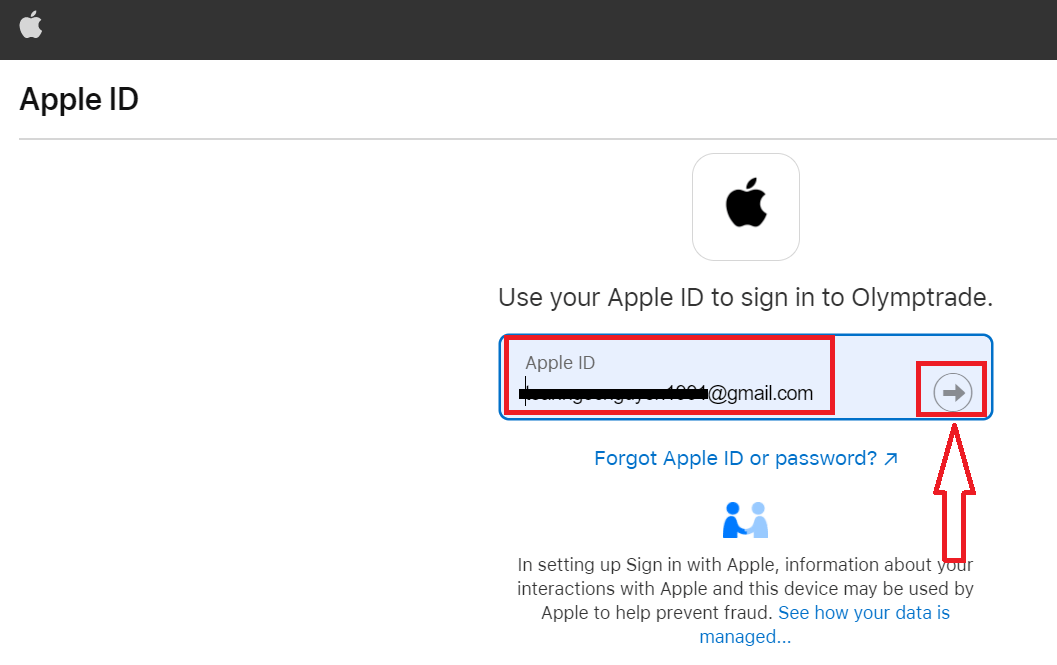
2. Then, in the new window that opens, enter your Apple ID and click “Next”.
3. Then enter the password for your Apple ID and click “Next”.
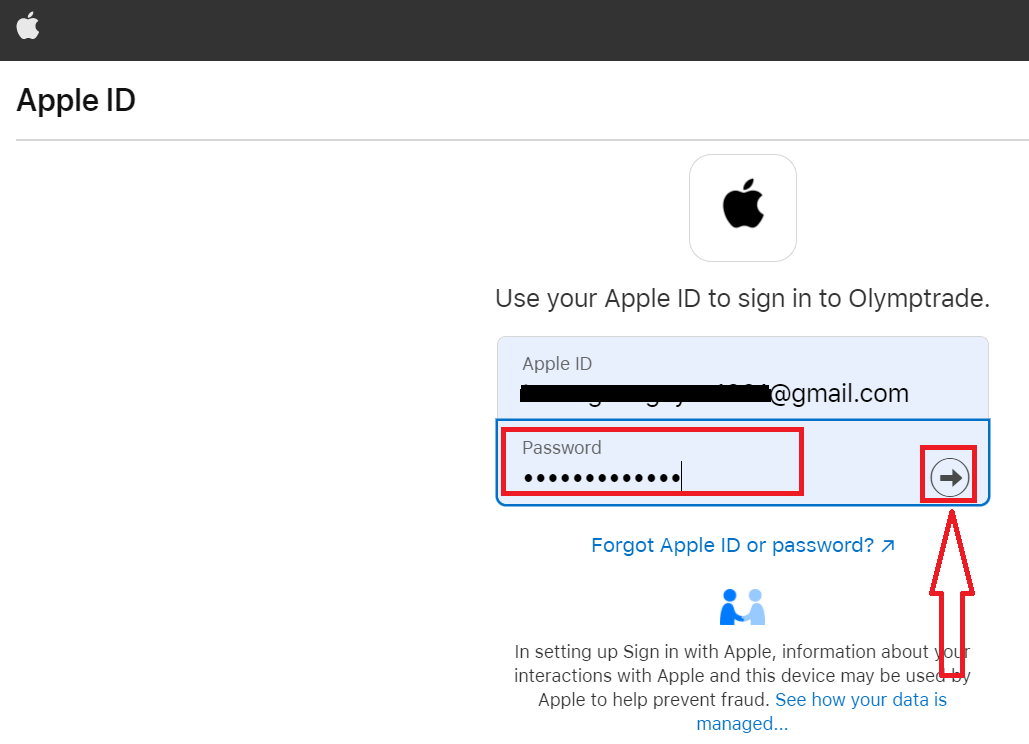
After that, follow the instructions sent from the service, and you can start trading in Olymp Trade.
Password Recovery from Olymptrade account
Don’t worry if you can’t log into the platform; you might just be entering the wrong password. You can come up with a new one.If you use the web version
To do that, click the "Forgot your Password" link.
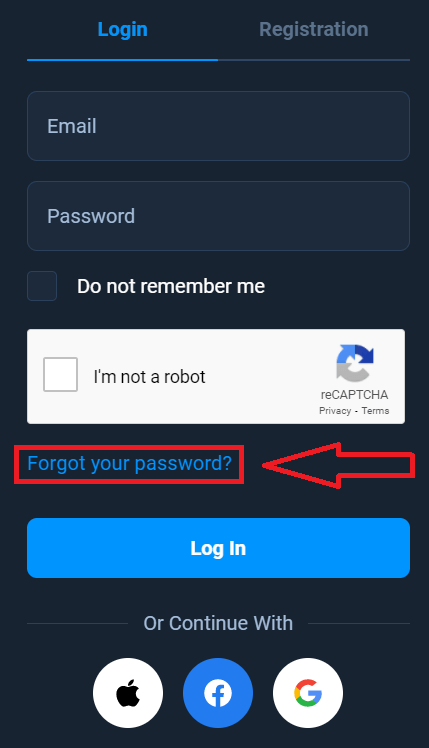
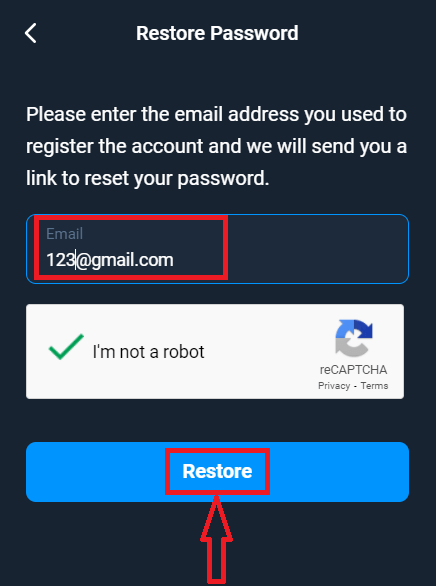
Then, the system will open a window where you will be requested to restore your password for your Olymptrade account. You need to provide the system with the appropriate email address and click "Restore."
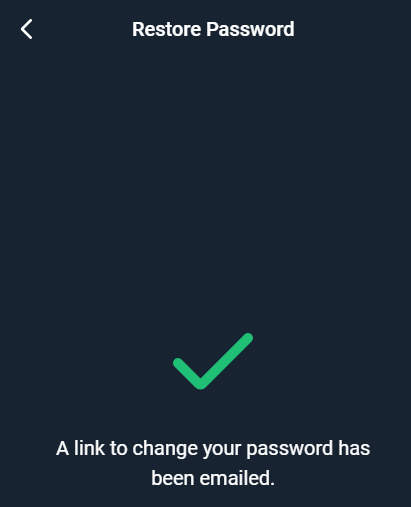
A notification will open that an email has been sent to this email address to reset the password.
Further in the letter in your e-mail, you will be offered to change your password. Click on the «Change Password»
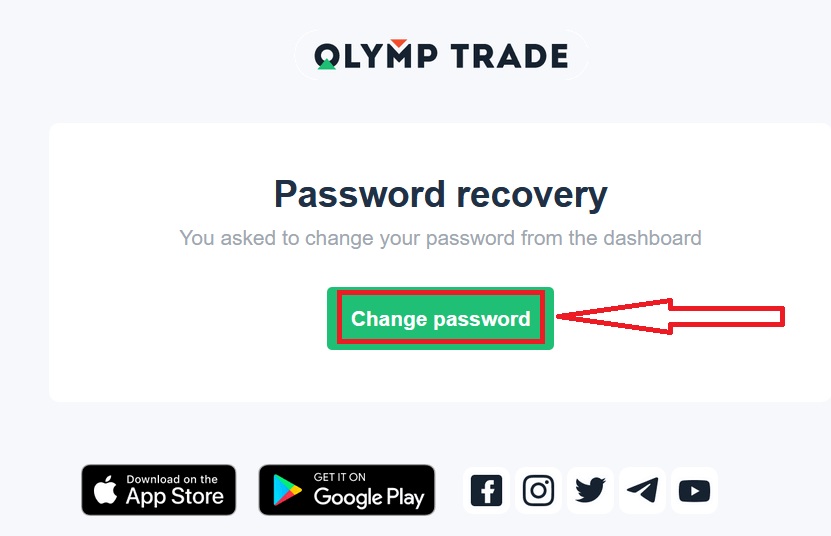
The link from the email will lead you to a special section on the Olymptrade website. Enter your new password here twice and click the "Change password" button.
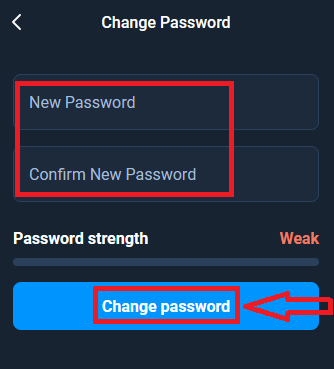
That’s it! Now you can log into the Olymptrade platform using your username and new password.
If you use the mobile application
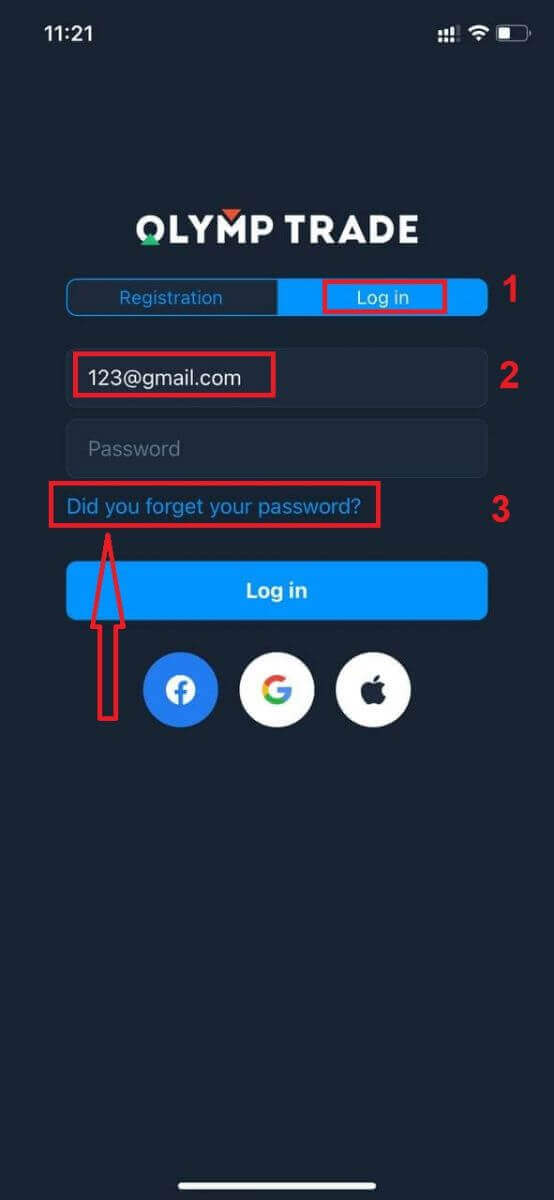
To do that, click the "Login" option, then enter the email you used during sign-up and click the "Did you forget your password" link.
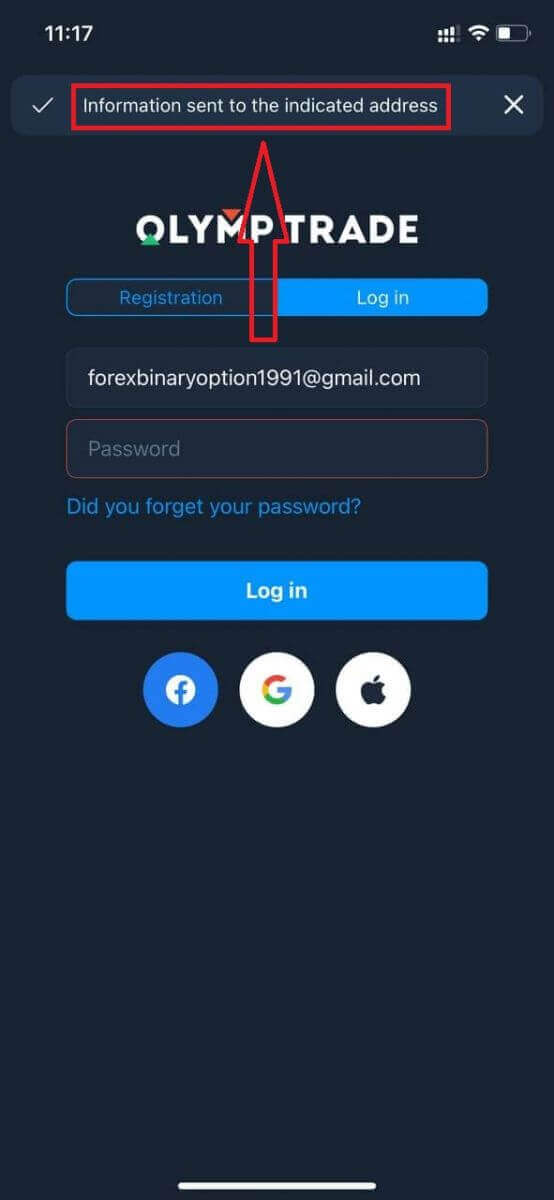
A notification appears that information was sent to the indicated address. Then do the same remaining steps as the web app.
Login to Olymptrade Mobile Web Version
If you want to trade on the mobile web version of the Olymptrade trading platform, you can easily do it. Initially, open up your browser on your mobile device. After that, search for “olymptrade.com” and visit the official website of the broker.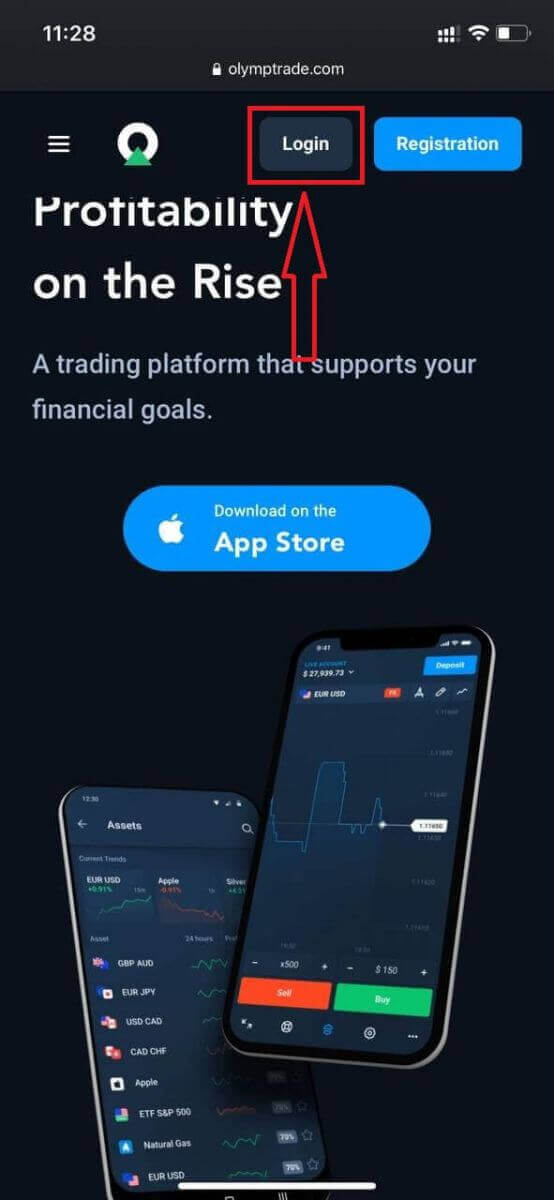
Enter your email and password, and then click on the “Log in” button.
Here you are! Now you are able to trade from the mobile web version of the platform. The mobile web version of the trading platform is exactly the same as the regular web version. Consequently, there won’t be any problems with trading and transferring funds. You have $10,000 in the Demo Account to trade on the platform.
How to Login in to the Olymptrade iOS app
Logging in on the iOS mobile platform is similar to logging in on the Olymptrade web app. The application can be downloaded through the App Store on your device, or click here. Simply search for the “Olymptrade - Online Trading” app and click «GET» to install it on your iPhone or iPad.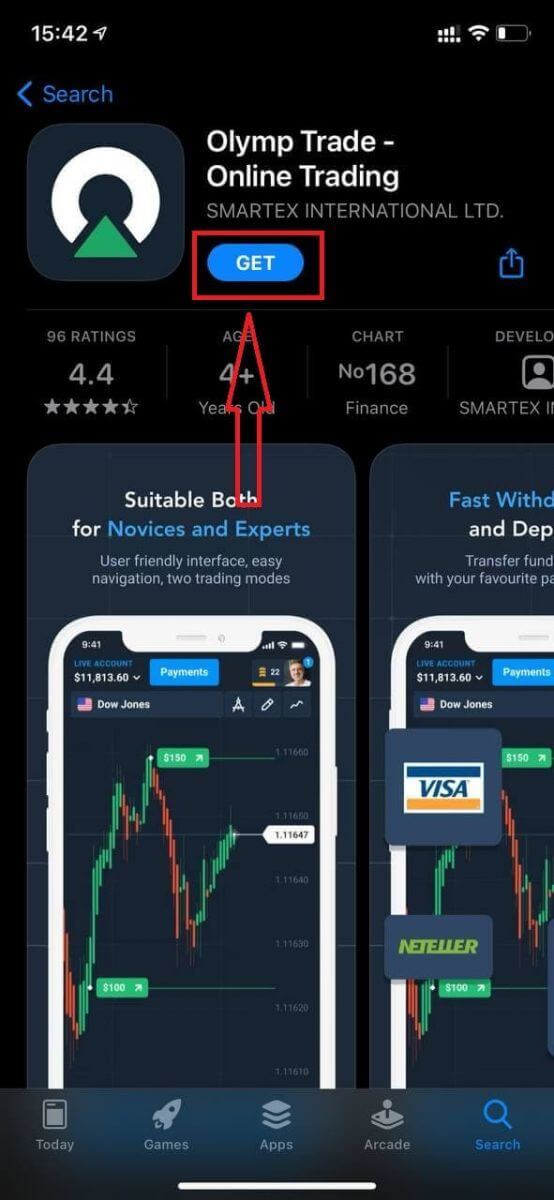
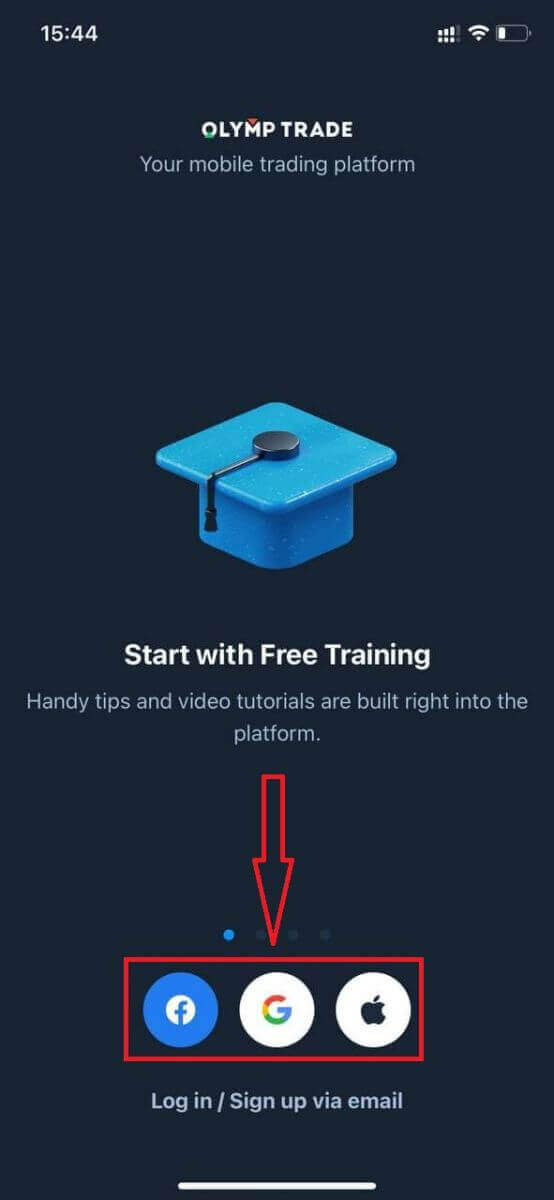
After installation and launch, you may log in to the Olymptrade iOS mobile app by using your email, Facebook, Google, or Apple ID. You just need to choose the “Log in” option.
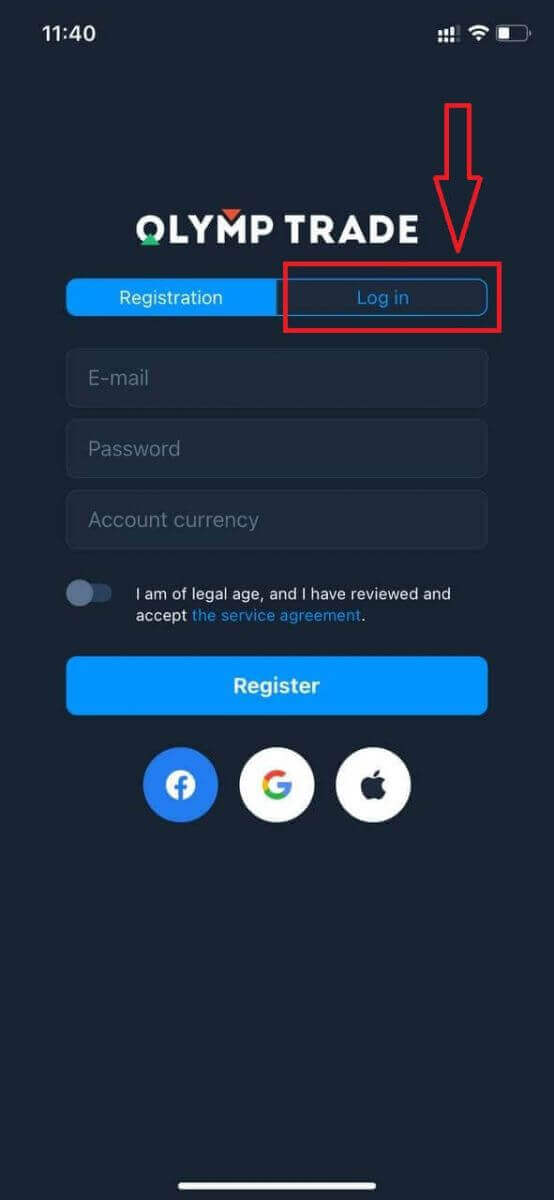
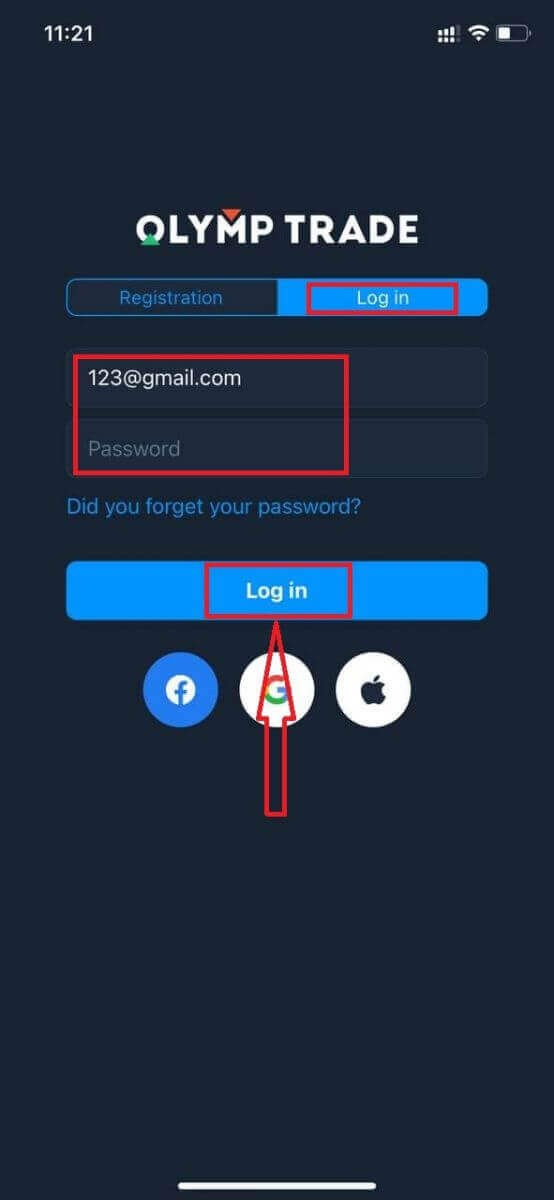
Enter your email and password, and then click on the “Log in” button.
You have $10,000 in the Demo Account to trade on the platform.
In case of social Login, click on “Apple,” “Facebook”, or “Google”.
How to Login in to the Olymptrade Android app
You have to visit the Google Play store and search for "Olymptrade - App For Trading" to find this ap,p or click here.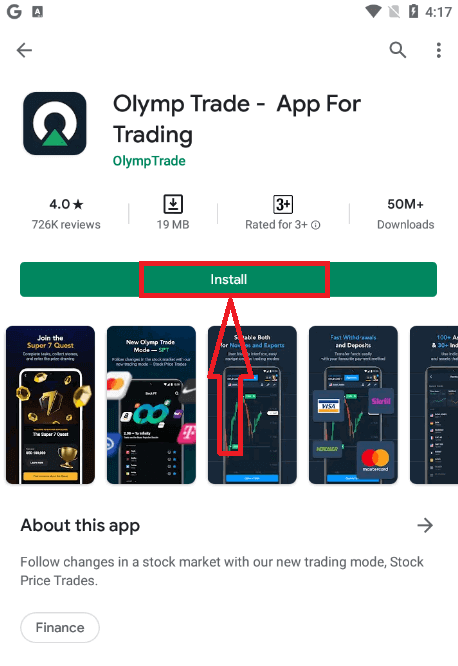
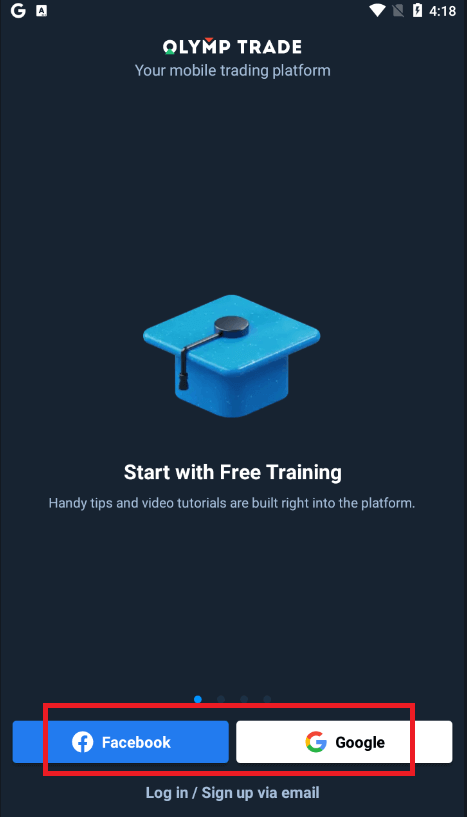
After installation and launching, you may log in to the Olymptrade Android mobile app by using your email, Facebook, or Google account.
Do the same steps as on an iOS device, choose the “Log in” option.
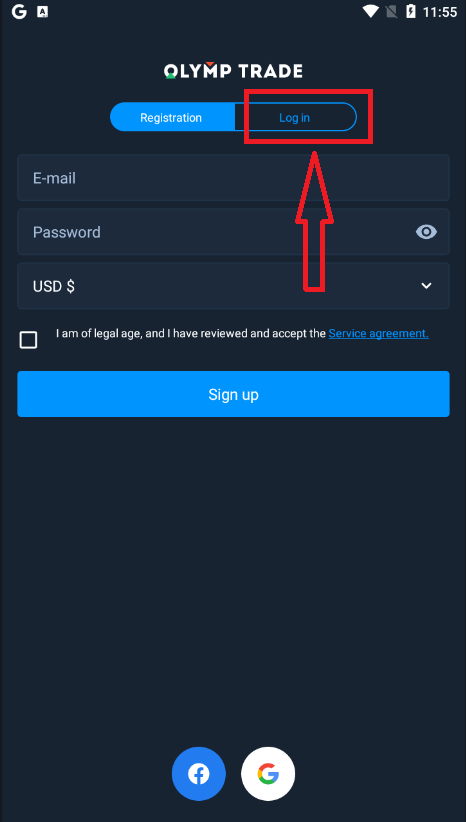
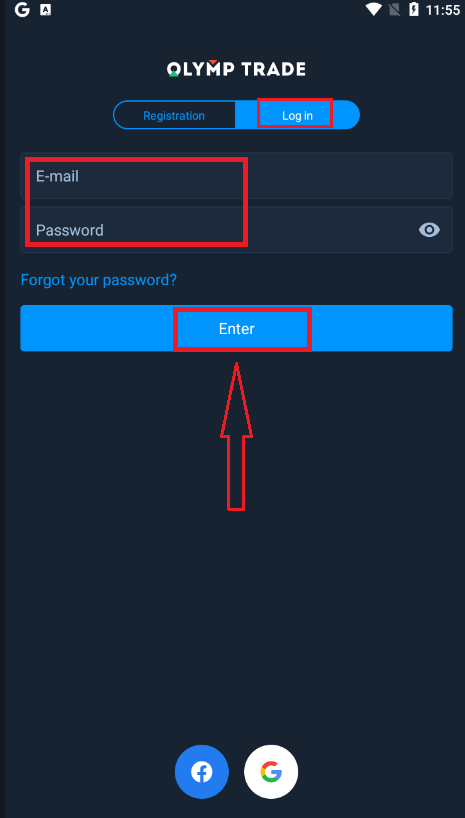
Enter your email and password, and then click on the “Enter” button.
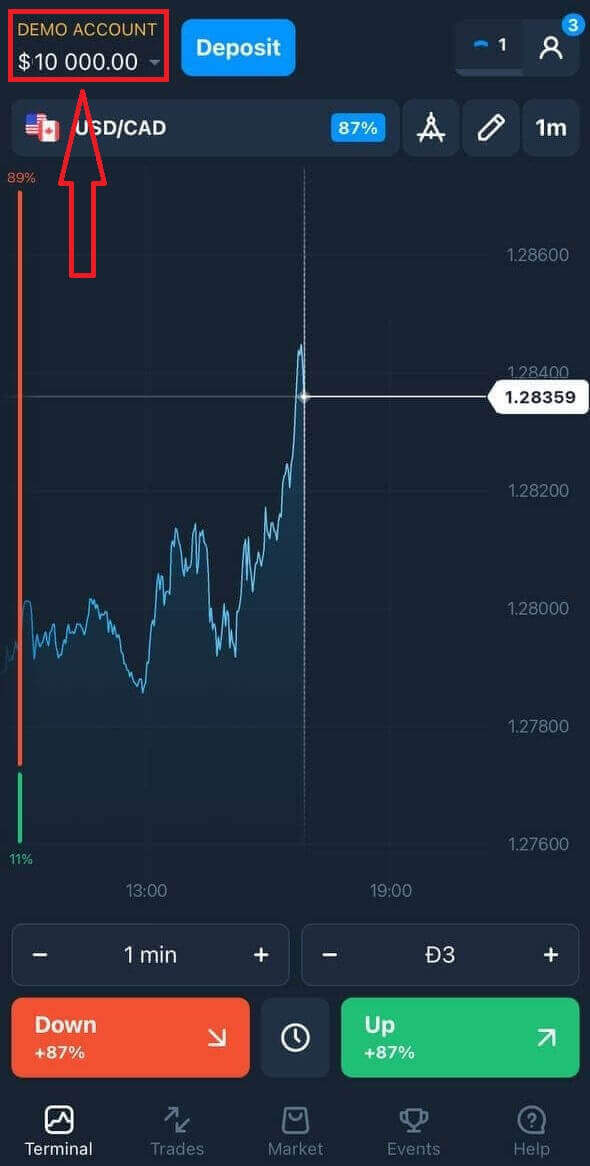
Now you also have $10,000 inthe Demo Account to trade on the platform.
In case of social Login, click on “Facebook” or “Google”.
Frequently Asked Questions (FAQ)
I forgot the email from the Olymptrade account
If you forgot your e-mail, you can log in using Facebook or Gmail.If you have not created these accounts, you can create them when registering on the Olymptrade website. In extreme cases, if you forget your email and there is no way to log in via Google and Facebook, you need to contact the support service.
How Can I Change the Account Currency
You can only select the account currency once. It cannot be changed over time.
You can create a new account with a new email and select the desired currency.
If you have created a new account, contact support to block the old one.
According to our policy, a trader can only have one account.
How Can I Change My Email
To update your email, please contact the support team.
We change the data through a consultant to protect traders’ accounts from fraudsters.
You cannot change your email yourself through the user account.
How Can I Change My Phone Number
If you haven’t confirmed your phone number, you can edit it in your user account.
If you have confirmed your phone number, please contact the support team.
Conclusion: Secure Your Access and Stay Connected
Logging into your Olymptrade account is a quick and straightforward process that ensures you can monitor your trades and execute orders with ease. By following the secure login steps outlined above and adopting best practices like enabling two-factor authentication, you protect your account while maintaining convenient access to global trading opportunities. Stay connected to your trading journey on Olymptrade with confidence and continue growing your financial knowledge and strategies.