How to Get Your Money from Olymptrade in 2026: Withdrawal Steps & Charges

In this guide, you’ll learn how to withdraw funds from your Olymptrade account, explore available withdrawal methods, and review associated fees and processing times so you can receive your money securely and efficiently.

Olymptrade Withdrawal Guide User Flow
Olymptrade is a globally trusted online trading platform that enables users to manage their funds with a secure, transparent, and efficient financial system. The platform is designed to ensure that withdrawals are processed smoothly while maintaining high standards of data protection and account security.
Platform Assurance
Olymptrade provides a secure, transparent, and efficient system for managing payouts.
All withdrawals are protected by advanced security protocols to ensure that only verified account holders can access funds.
Supported payout channels
-
Bank cards
-
E-wallets
-
Cryptocurrency wallets
-
Other regional payment solutions
#1 Proceed to the Official Olymptrade Online Trading Site
Begin by accessing the official Olymptrade website and confirm that the domain is correct to ensure a safe and secure login. The platform features a clear and user-friendly design that makes navigation easy.From the homepage, click the [Sign in] button to open the secure login form and enter your account credentials to continue.

#2 Navigate to the Withdraw Section
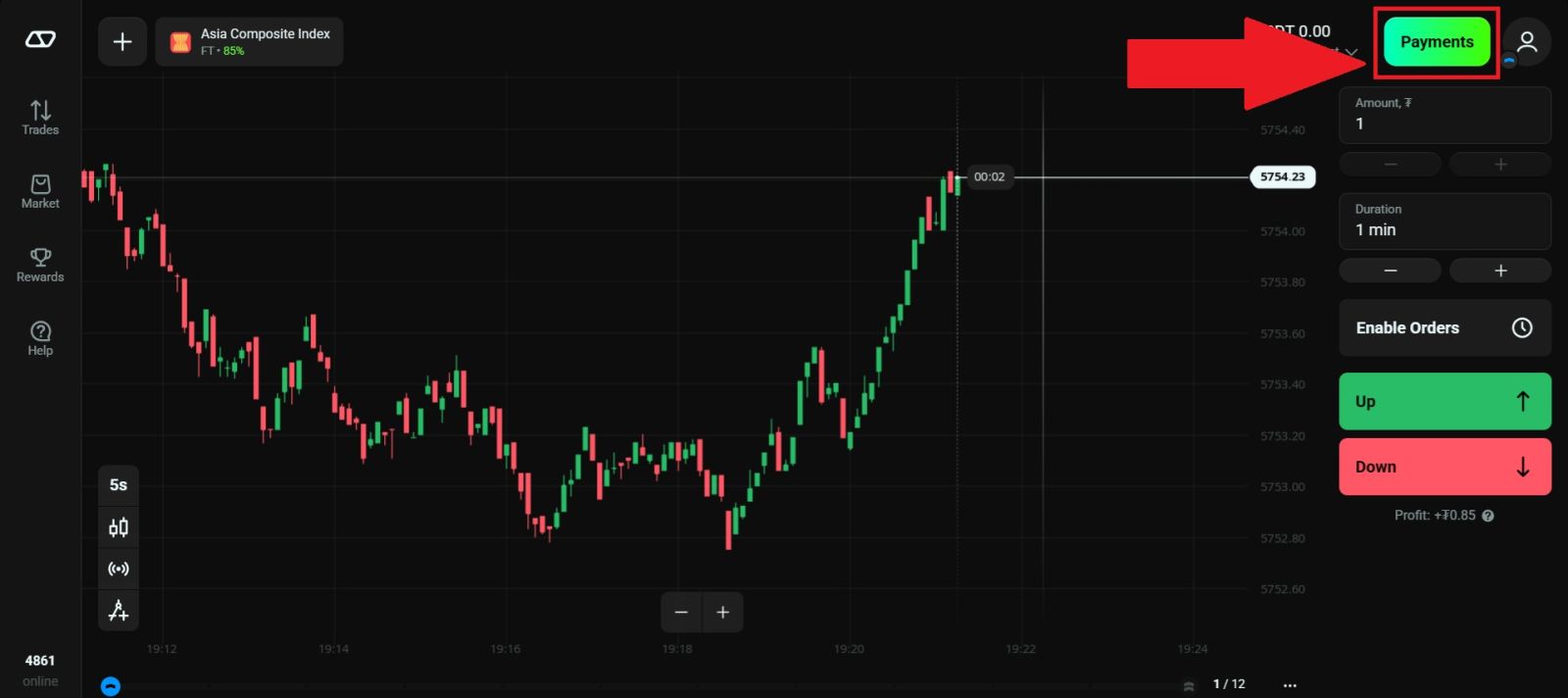
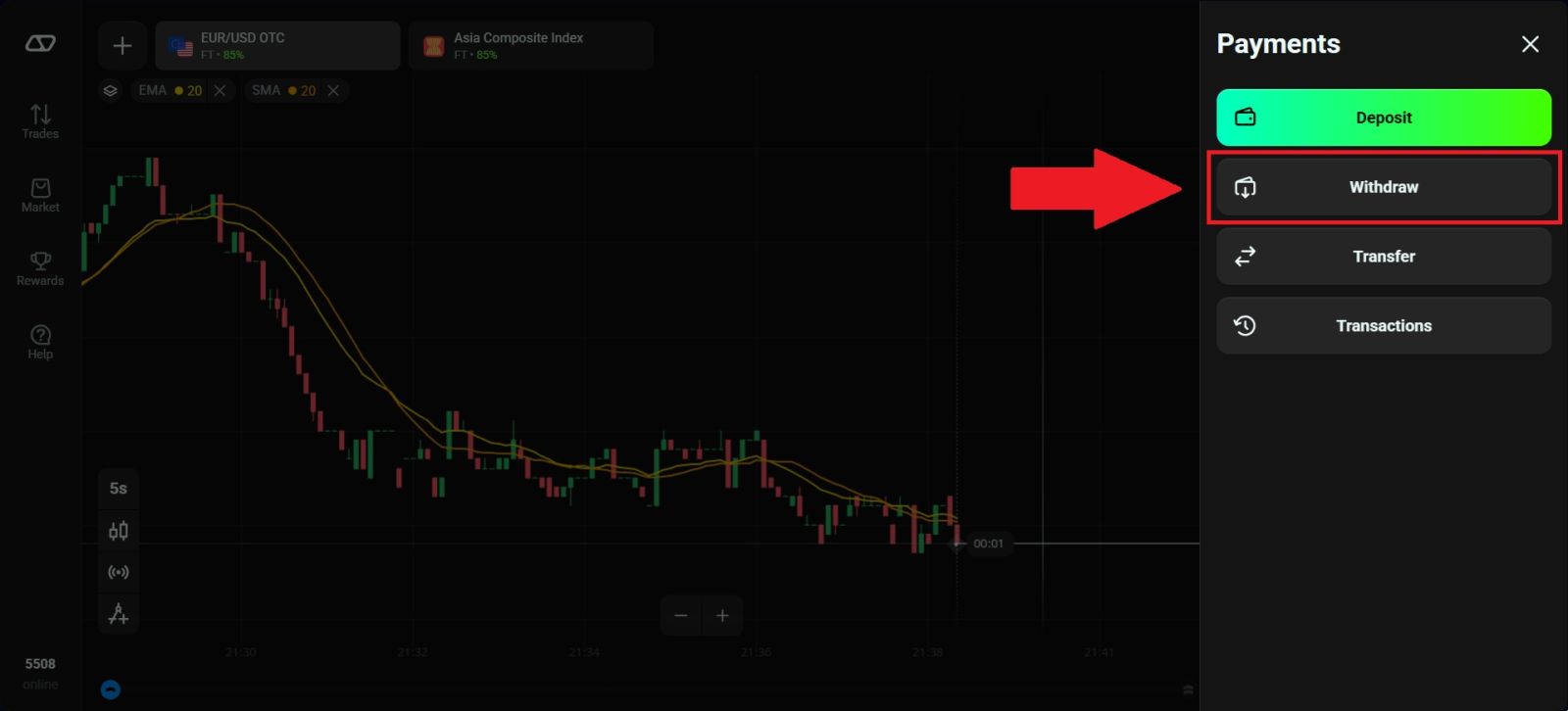
Once you have successfully logged in to your Olymptrade account, navigate to the [Withdraw] section by clicking on [Payment] located at the top right corner of the Olymptrade homepage, then select [Withdrawals].
This section is dedicated to account funding and allows you to view all available withdrawal methods, manage your payment options, and begin the process of adding funds to your trading account securely and efficiently.
#3 Select your Withdrawal Methods
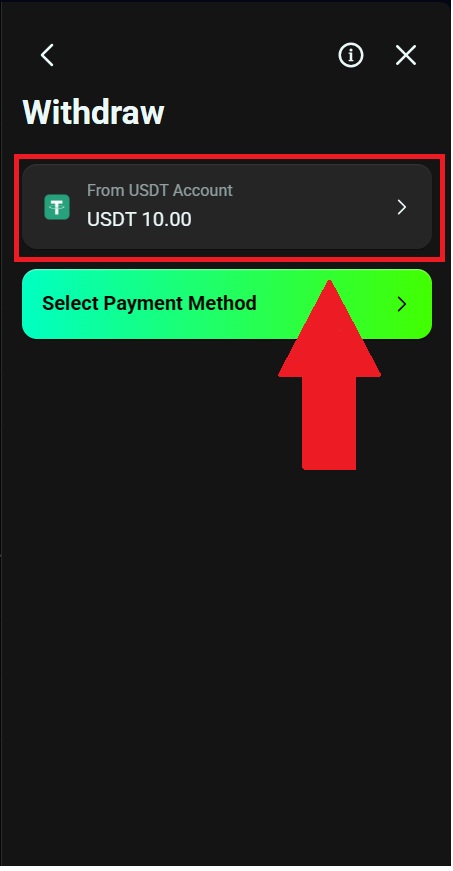
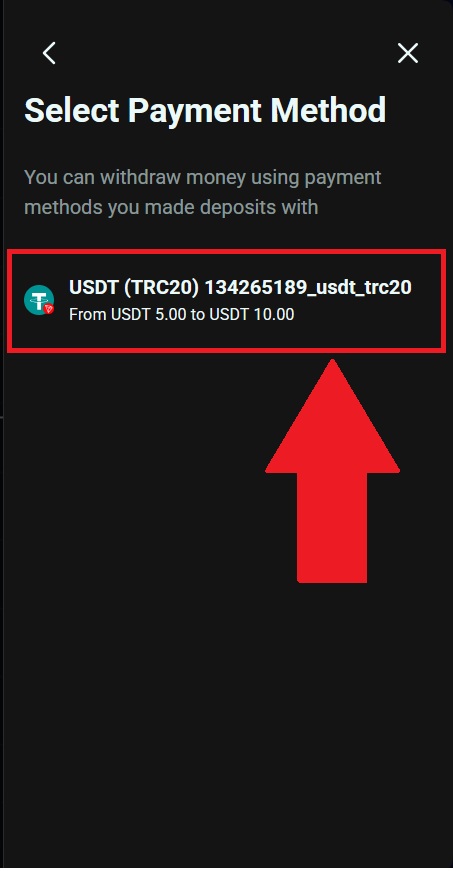
Next, select the account you would like to use for your withdrawal and your withdrawal methods to continue the process.
Olymptrade offers multiple withdrawal methods, each clearly displaying key information such as estimated processing time, zero withdrawal fees, and applicable transaction limits, allowing you to make an informed decision.
In this example, USDT/TRC20 is selected, which is a commonly used option due to its convenience and secure processing.
#4 Provide Withdrawal Details
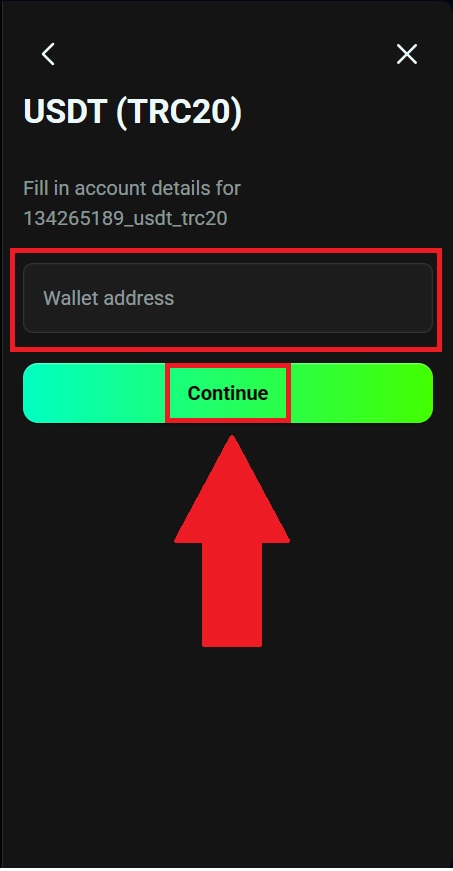
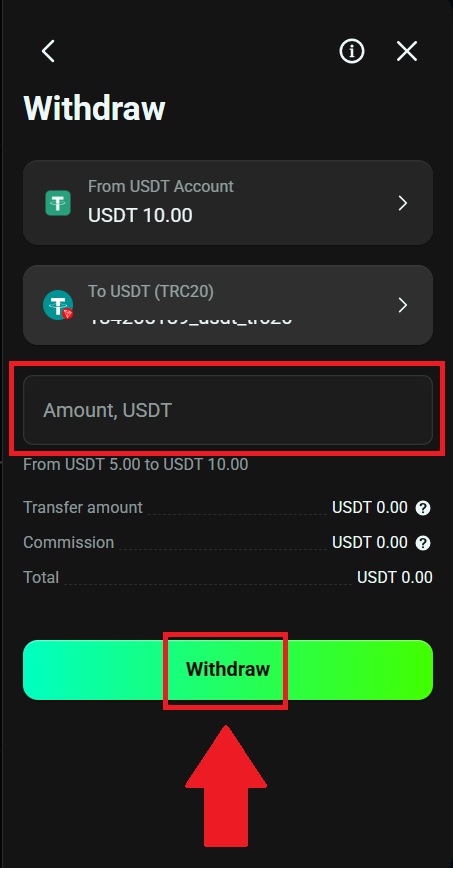
Next, input your withdrawal wallet and click [Continue]. Then enter the amount that you wishes to withdraw, once everything is correct, click "Withdraw" to submit your withdrawal request.
After that, you have successfully withdrawn your fund from Olymptrade.
Security Notes for Safe Withdrawals
To ensure your withdrawal is processed smoothly and to protect your funds, please follow these important security guidelines:
-
Withdraw only to accounts registered in your own name
The payment account or wallet you use for withdrawal must belong to you personally and match the name on your Olymptrade account. Withdrawals to third-party accounts are not permitted and may be rejected for security reasons. -
Use the same payment method as your deposit when required
In many cases, Olymptrade follows anti-money-laundering policies that require withdrawals to be made through the original deposit method. This helps verify ownership and ensures the safety of your transactions. -
Double-check the wallet network and details
When withdrawing cryptocurrency, always confirm that the selected network (e.g., TRC20, ERC20, BEP20) matches your external wallet. Sending funds to the wrong network may result in permanent loss. -
Keep your transaction confirmation and receipts
Save screenshots, transaction IDs, or confirmation emails after submitting a withdrawal. These records can help you track the status of your payment or assist customer support if needed. -
Avoid modifying payment details after submission
Changing wallet addresses or bank information during processing can cause delays or cancellation. Ensure everything is correct before clicking the final confirmation button. -
Protect your account credentials
Never share your password, verification codes, or personal data with anyone. Olymptrade will never ask for sensitive information through unofficial channels.
By following these security recommendations, you can minimize risks, prevent delays, and ensure that your Olymptrade withdrawals are completed safely and efficiently.
Conclusion: Withdraw Funds from Your Olymptrade Account Smoothly and Securely
Withdrawing money from your Olymptrade account is a straightforward and reliable process when you follow the correct steps and choose a supported payment method.
By understanding any applicable fees and typical processing times, you can manage your withdrawals effectively and avoid delays. Olymptrade’s clear payout procedures and secure handling help ensure your funds are transferred safely and efficiently, giving you confidence as you access your trading profits.